
A tour of Studio
Sisyphus Studio is the desktop app for working on tests. It reads and writes the same .sis.yaml files as sis, so you can switch between Studio, your editor, the command line and an AI agent at any time. A test written elsewhere (by an agent, or pulled from git) shows up in Studio by itself.
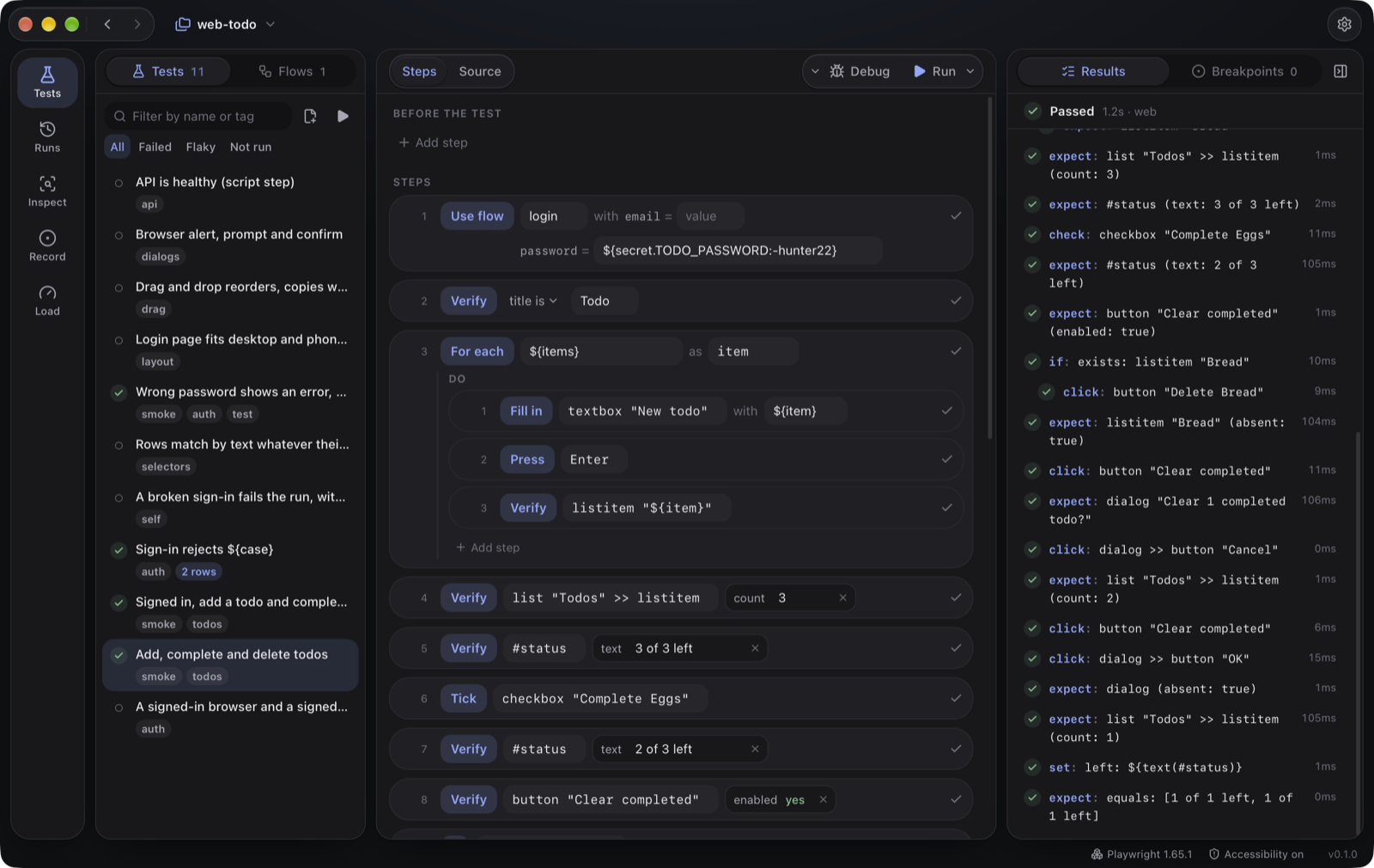
The views
Section titled “The views”The bar on the left switches between:
| View | For |
|---|---|
| Tests | Your tests and flows. Edit them as step rows or as YAML, run and debug them. Editing tests |
| Runs | Every run’s results, with screenshots and trees for failures, and flaky and slow tests. Runs |
| Inspect | See what Sisyphus sees in an app, and turn elements into steps. Inspector |
| Record | Use your app while Studio writes the steps. Recorder |
| Load | Write and run load tests. Load testing |
The project name at the top (⌘P) opens the project switcher: recent projects, Open project… and New project…. Type to find a project: letters in order match its name (“wbtd” finds web-todo), then its path. The arrows next to it go back and forward through the views you’ve visited. The gear (⌘,) opens Settings.
The version at the bottom right opens About Sisyphus: What’s New, the third-party notices, the licence agreement and, in a build that updates itself, Check for Updates. A dot on the version means a newer one was found; the notice Studio shows at launch has an Update… button that asks before installing.
While Settings, About or a confirmation is open, Studio’s other shortcuts wait until you close it. Escape closes it (in About, it goes back from a page first).
Settings
Section titled “Settings”- Appearance: themes, including your own colours. System follows macOS between the light and dark themes you picked last.
- Notifications: tell me when a run finishes or pauses.
- Running tests: how many tests run at once, and whether to retry failing ones.
- Web runtime: install or update the browser runtime.
- macOS permissions: what’s granted, with a button for each that isn’t.
- AI agents (MCP): the config snippet to give your coding agent Sisyphus. See Tests with AI agents.
 © 2026 Bussin Bytes Ltd · sisyphus.bussinbytes.io